1. Type <ima scr= "image.jpg" where image.jpg indicates the location of the image on the server
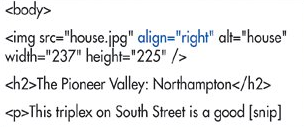
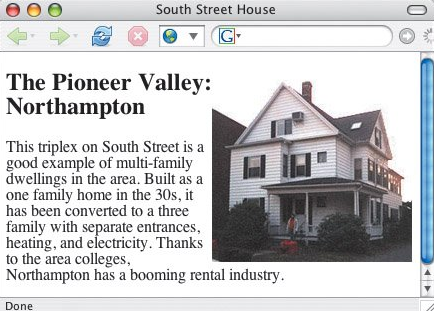
2. Either type align="left" to float the image on the left of the screen while the text flows to the right
3. Add other image attributes, if desired.
4. Create the elements that should flow next to the image.
5. Don't get confused aboout the right and left. When you choose align="right", it's the image that goes to the right (while the text goes to the left). When you choose align="left", again, the image will be on the left side with the text flowing on the right side.
6. The align attribute is deprecated. Nevertheless, it's a useful trick to have in your bag. If you're doing (X)HTML strict, use the CSS float property instead.
If you have any questions,
you can contact Britney Watts at britneywatts@mac.com